


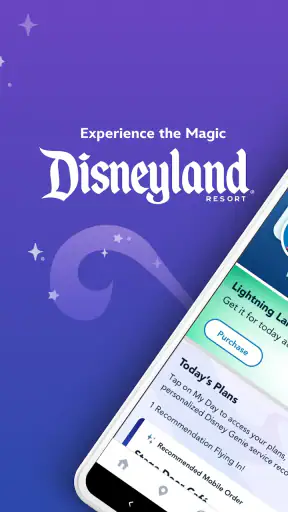
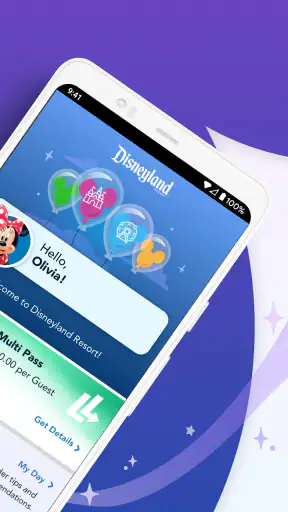
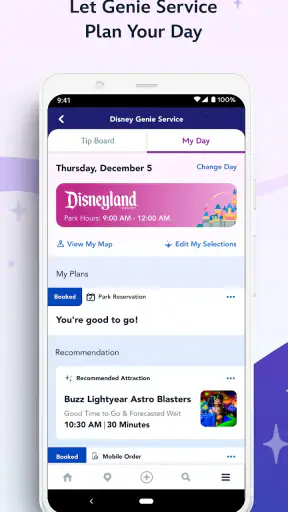
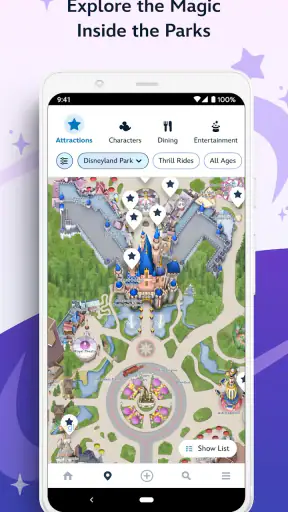
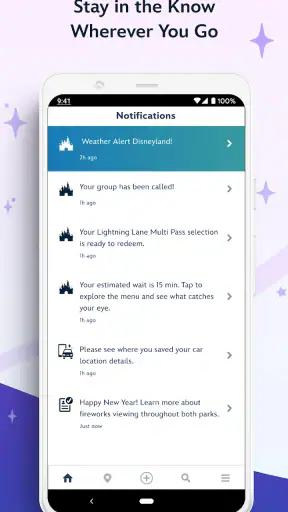
I found Disneyland® most useful when I treated it as a day-planning companion rather than a complete replacement for every other travel tool. It brings tickets, hotel information, wait times, maps, mobile ordering and Disney PhotoPass into one place, which can make a park day feel much less scattered. I especially appreciated having the map and live-looking planning information close at hand instead of switching between unrelated apps and web pages.
This is a free Travel & Local app from Disney for Everyone, and it has built a strong audience: the listing shows a 4.5 average from around 92 thousand ratings, more than 24 thousand written reviews, and over 5 million installs. Those numbers do not guarantee a perfect visit, but they do match my impression that this is a mature, regularly used companion for Disneyland guests rather than a simple brochure app.
Where the app helps most during a Disneyland day
The biggest strength is context. A standalone map can show where you are, a restaurant app can help you find food, and a browser can open ticket information, but Disneyland® puts those jobs beside park-specific information. That matters when I am already walking, carrying bags, checking the time and trying to decide what to do next.
The map is more valuable than it first appears. I use it not only to locate attractions, but also to understand whether a supposedly short detour is actually practical for the group I am with. A family with a stroller, someone who needs frequent breaks, or a visitor managing a tight dining schedule may make very different decisions from a solo guest. The map gives the day a visual shape, which is easier to act on than a long list of names.
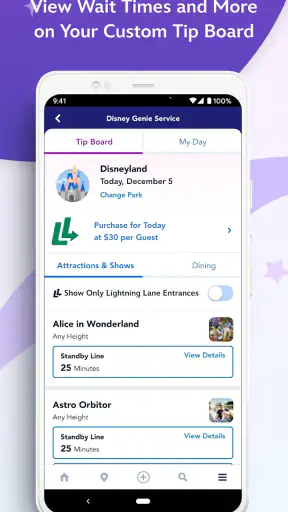
Wait-time information is another reason to keep the app available. I would not build an entire day around one displayed number, because conditions can change while walking across the park. Instead, I compare several nearby options and choose the best use of the next part of the day. That small change in habit is important: the app works better as a decision aid than as a promise that every estimate will remain unchanged.
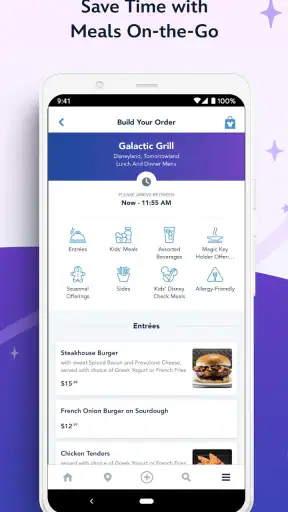
Mobile ordering can also reduce friction when the group is hungry but nobody wants to stand around deciding. I like the idea of choosing food before reaching the counter, particularly when everyone has different preferences. The practical benefit is not simply speed; it is being able to coordinate the meal while checking the map and planning the next stop.
Why first-time visitors may get stuck
The app contains several kinds of information, so the first session can feel busier than expected. Tickets, hotels, maps, wait times, food ordering and PhotoPass are different tasks with different timing. A new visitor may open the app expecting one obvious “start here” path and instead need to decide which part of the experience matters first.
My advice is to begin with the immediate purpose of the trip. If the visit is not yet organized, start by reviewing ticket and hotel information. If the trip is already arranged, go straight to the map and the features needed for the day. Trying to explore every section before leaving home is inefficient and can create confusion that disappears once the app is used in context.
Another common stumbling point is expecting the map to solve every navigation question automatically. A map can show locations, but it cannot know whether my group is ready to walk, eat, rest or change plans. I still need to make the human decision. The app is strongest when I use its information to narrow choices, not when I expect it to run the entire itinerary.
Setup checks worth doing before leaving
I would install and open Disneyland® before the park day, while I still have time to look around calmly. I check that the current version is 8.24 and that the device meets the minimum operating-system requirement of version 10 or later. This is a simple step, but it prevents discovering a compatibility problem when the day is already underway.
I also review the sections I expect to use instead of waiting until I am standing in a crowded area. For me, that means locating the map, finding the wait-time view, checking where mobile ordering appears and understanding where ticket or hotel information is presented. I do not need to memorize the interface; I only want the basic route to be familiar.
A second useful check is account and trip context. If the app asks me to sign in or connect information for a particular visit, I handle that before I need a ticket or order. The exact experience can depend on the part of the app I am using, so I avoid assuming that opening the map means every other section is already ready. The general lesson is simple: prepare the workflow, not just the download.
I make sure the phone has enough battery for a day of checking maps and information. That is not a Disneyland-specific technical feature, but it is a real trade-off of using a phone as a park companion. A small battery pack can be more useful than repeatedly closing and reopening the app to conserve power. I also keep the app updated when practical, since an older build can make troubleshooting harder.
For mobile ordering, I prefer to look at the available choices before the group becomes hungry. The advantage is being ready to decide, not merely knowing that ordering exists. If I wait until everyone is tired, I am more likely to rush, choose poorly or blame the app for a decision-making problem that began earlier.
Recovering when a screen or workflow does not behave
When something appears stuck, I first identify whether the problem is limited to one section. If the map opens but a particular information screen does not, I do not immediately assume the whole app has failed. I return to the previous screen, reopen the feature and give the app a moment to refresh. This basic recovery is often less disruptive than repeatedly tapping the same control.
If the app becomes unresponsive, I close it and open it again, then retry the smallest possible action. For example, I may check the map first rather than attempting to review tickets, choose food and inspect another section at the same time. Reducing the task makes it easier to tell whether the problem is a temporary loading issue or a broader device or connection problem.
Wait-time information deserves a cautious recovery strategy. If a value seems surprising, I compare it with nearby attractions and look again later instead of making a long cross-park walk based on one moment. This is one of the most useful habits I developed with the app: use changing information to guide choices, not to create false certainty.
For mobile ordering, I keep the process deliberate. I check the selected location, review the items and confirm that the order is actually at the stage I expect before walking away. If the screen does not update, I avoid placing repeated orders immediately. I first revisit the order area and check what the app is showing, because duplicate actions are more troublesome than taking a short pause.
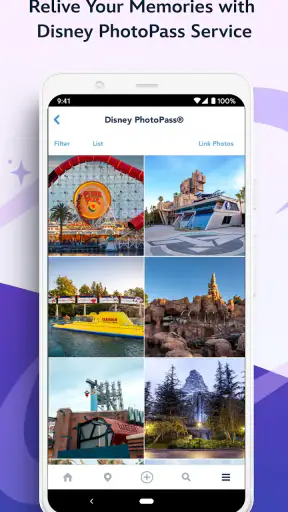
The same principle applies to PhotoPass-related use. I treat the app as a place to access that part of the Disneyland experience, but I still verify what I am viewing before assuming that every image or item is available exactly where I expect. When a feature involves photos, a little patience and careful checking is better than repeatedly refreshing without knowing what changed.
When the app is not the real cause
Not every frustrating moment comes from Disneyland®. A weak or busy connection can affect maps, wait-time updates, ordering and other information that needs to refresh. If one screen loads while another takes longer, I consider the environment before concluding that the application itself is broken. Moving to a less crowded spot or trying again later can sometimes tell me more than a long settings search.
Device conditions matter too. A nearly full battery, limited storage, an older operating system or many apps running at once can make any travel application feel unreliable. Since the current version is 8.24 and the minimum OS is 10, I would check those basics before spending time on more complicated troubleshooting. Updating the operating system is not always possible during a trip, which is why checking at home is worthwhile.
There is also a human cause: changing plans. A guest may see a wait time, walk toward an attraction, stop for food and then decide to cross to another area. By the time the decision is complete, the original information may no longer describe the current situation. That is normal for a busy park day, not necessarily a software defect. I get better results when I refresh my expectations along with the app.
The same applies to tickets, hotels and dining. Different parts of a trip have different requirements and timing, so I do not assume that one successful screen means every related task is complete. I check the specific section connected with the situation I am handling. That approach is slower for a minute but much faster than discovering a misunderstanding at the worst possible time.
How it compares with using separate travel tools
A general map application may be better for the journey to the resort, broader local navigation or combining Disneyland with unrelated sightseeing. A browser can be more flexible for reading long information pages. A dedicated food service may offer a wider view of restaurants outside the park. I would still keep those alternatives available for their own jobs.
Inside Disneyland, however, the official app has a practical advantage because the pieces are connected to the park experience. I can move from a map decision to wait-time planning, then consider food, tickets, hotels or PhotoPass without rebuilding the context in several unrelated tools. That integration is the reason I would recommend it even to visitors who already have a favorite navigation app.
There is a trade-off. An all-in-one app can feel crowded, and I may spend time learning where a particular task lives. Someone who only wants a static map may prefer a simpler reference. Someone who dislikes relying on a phone while traveling may also find the app unnecessary. In my experience, the value grows with the complexity of the visit: multiple people, changing plans, meals, photos and several areas to coordinate.
Who should use it, and who may want less
I think Disneyland® is a particularly good fit for first-time guests, families and anyone trying to make a limited park visit feel organized. It is also useful for returning visitors who already know the layout but want current information close by. The combination of maps, wait times and mobile ordering can reduce the number of small decisions that otherwise interrupt the day.
I would be more cautious recommending it to someone planning only a very simple visit with no interest in mobile ordering, PhotoPass or live planning. If the goal is merely to read general information before traveling, a browser may feel more comfortable. Likewise, visitors who deliberately leave their phones aside may gain little from installing another app.
Because the price is free, trying it does not require a purchase decision. The more relevant question is whether the convenience of a connected park tool outweighs the need to keep a phone charged and occasionally troubleshoot a screen. For most Disneyland visitors, I think that answer is yes, especially when the app is prepared before arrival rather than downloaded in a hurry.
My practical verdict after using it
Disneyland® succeeds because it focuses on the decisions that make a park day easier: where to go, what may be busy, how to handle food, and where to find trip-related information. It is not magic, and it cannot remove crowds, changing conditions or the need for common sense. What it can do is keep several useful parts of the visit within reach.
My strongest recommendation is to set it up early, learn the few screens that match the trip and use it in short, purposeful checks. Do not constantly chase every changing number. Compare nearby options, leave room for unexpected delays and treat the app as guidance rather than an exact schedule.
Disney developed this free app for the Travel & Local category, and its Everyone rating makes it suitable for a broad audience. After seeing how much planning it can gather in one place, I would install it for a Disneyland visit, while still keeping a general navigation option available for the wider journey. It is most useful when preparation and flexibility work together, not when I expect the app to make every decision for me.


